The Sender Policy Framework (SPF) is an email authentication system that detects forged sender addresses while the email is being delivered. SPF, on the other hand, is confined to detecting a forged sender claim in the email’s envelope, which is used when it bounces.
Follow these steps to set up SPF on Mailerlite:
- Log in to your Mailerlite account as an admin.
- Click on Authenticate and enter the domain of your choice.
- Now select Show DNS Records. Copy the record created by Mailerlite for your domain.
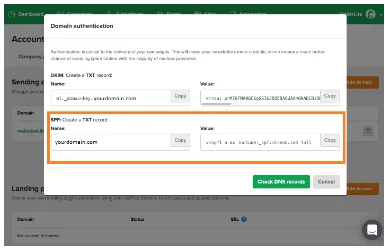
- Go to your DNS console and publish the copied records. Wait for 24 hours for the changes to take effect.
Check and verify your records using our free SPF lookup tool.