[ Knowledge base ]
Knowledge base.
Step-by-step setup articles for publishing DMARC, SPF and DKIM with every major DNS host and email provider.
Setup article · 17 May 2022
How to publish your DMARC record on Zoho in these 3 easy steps
Log in to your Zoho mail account as an admin or super admin. From the left pane, navigate to the ‘Domains’ page.Click on the desired domain.
Setup article · 17 May 2022
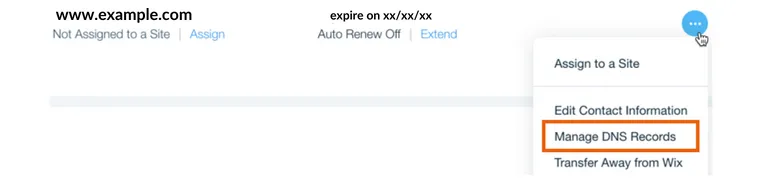
How to publish DMARC Record on Wix in 4 simple steps
When you have created and verified your DMARC record, lLog in to your ‘Wix’ account and navigate to the ‘Domains’ page.
Setup article · 17 May 2022
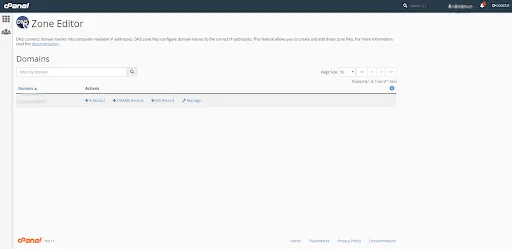
How to publish a DMARC Record on cPanel in these 3 easy steps
Log in to your cPanel account and navigate to the dashboard.Navigate to the ‘Domains section > DNS Zone Editor’. Click on the ‘Manage’ button
Setup article · 17 May 2022
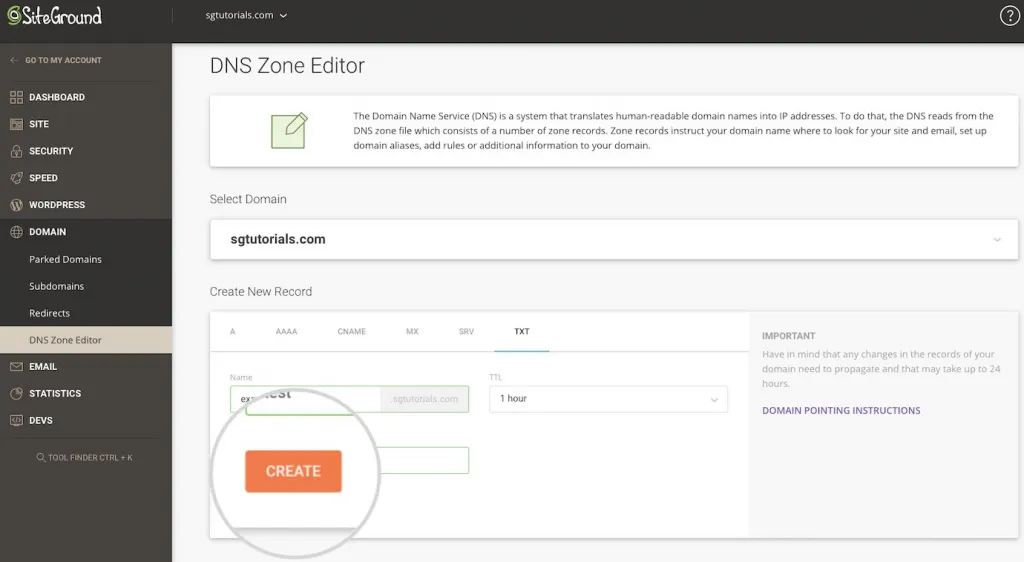
How to publish DMARC Record on Siteground in 3 simple steps
Sign in to your Siteground account. Navigate to ‘Site Tools > Domain > DNS Zone Editor’. From the ‘Create New Record’ choose ‘TXT’. In the subsequent form, fill in the following information and click on ‘Create’ to create the new record.: In the ‘Name’ field, enter … Read More
Setup article · 17 May 2022
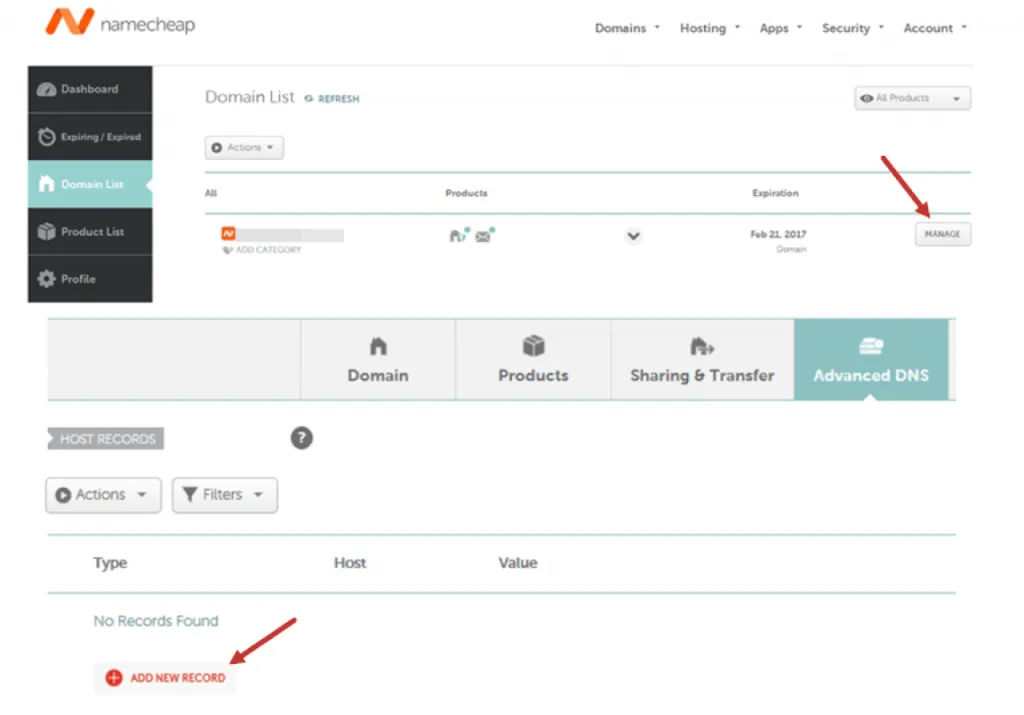
How to publish DMARC Record on Namecheap in simple steps
Log in to your Namecheap account and navigate to ‘Dashboard > Domain List > Manage, Go to the ‘Advanced DNS’
Setup article · 17 May 2022
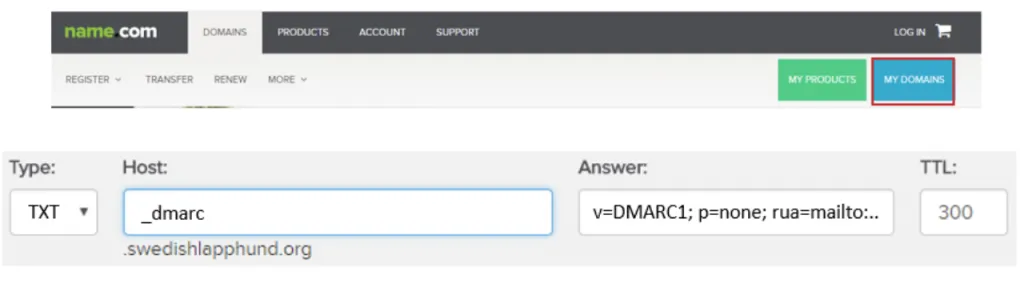
How to publish a DMARC Record on name.com in these 3 easy steps
Log in to your Name.com account and click on the ‘MY DOMAINS’ button. Select the domain name you wish to create a TXT record for and click on ‘Manage DNS Records’.
Setup article · 17 May 2022
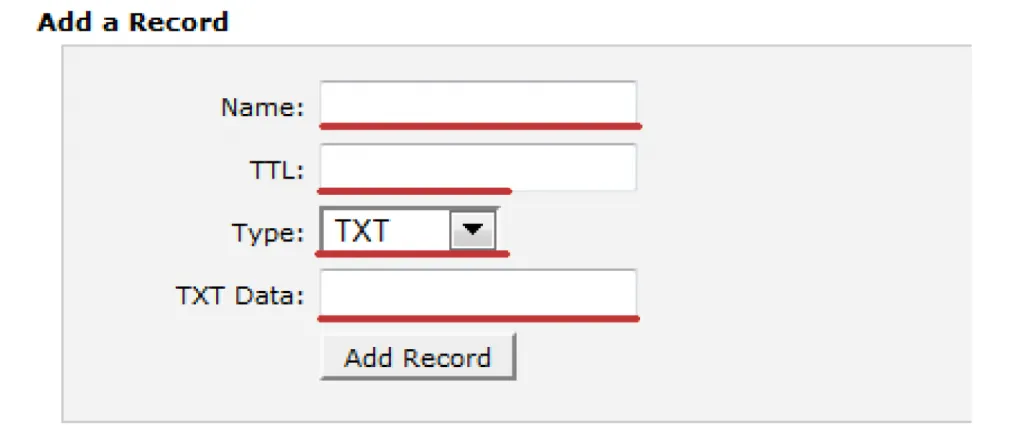
How to publish DMARC Records on HostGator in 3 easy steps
After generating your DMARC record you should follow these simple steps to publish your DMARC record into your Hostgator DNS:
Setup article · 17 May 2022
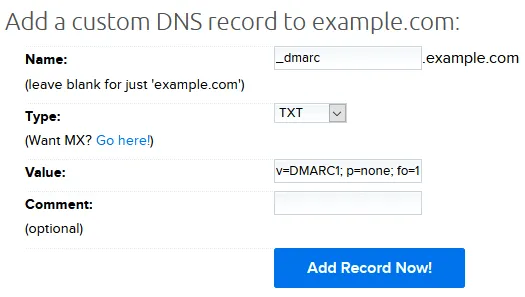
How to publish your DMARC Records on DreamHost in 3 steps
Log in to your DreamHost ‘Control Panel’. In the ‘Main Menu’, navigate to ‘Manage Domains’. Under your desired domain, click on the ‘DNS’ link.
Setup article · 17 May 2022
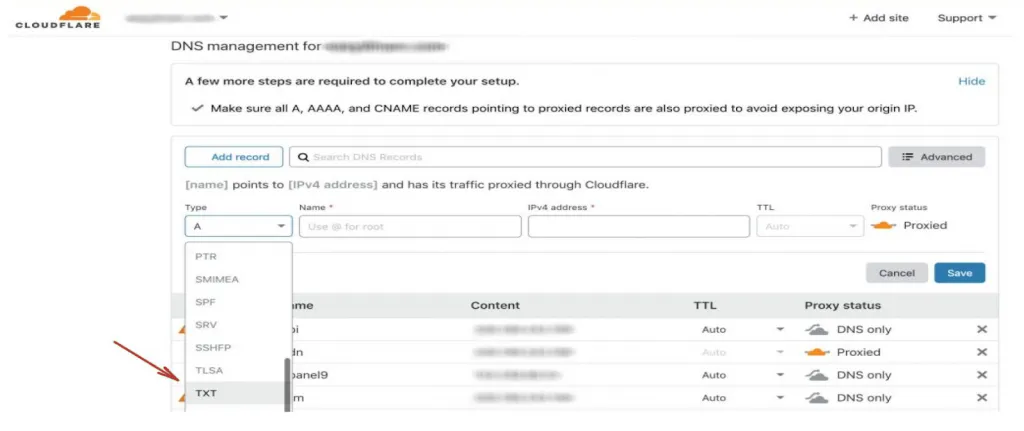
How to publish your DMARC Records on Cloudflare in 3 steps
Learn how To add DMARC to Cloudflare DNS with descriptions. 1. Go to the Cloudflare's DNS management page. 2. Choose the TXT type
Setup article · 17 May 2022
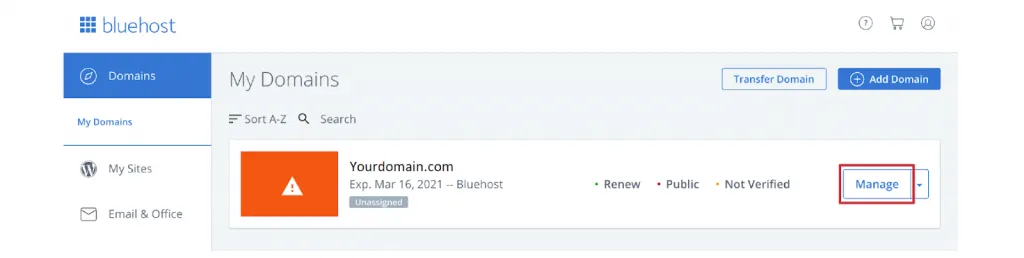
How to Setup DMARC Records on Bluehost in 3 simple steps
This post provides step-by-step instructions on how to add a DMARC record in Bluehost. Log in to your Bluehost account.
Setup article · 17 May 2022
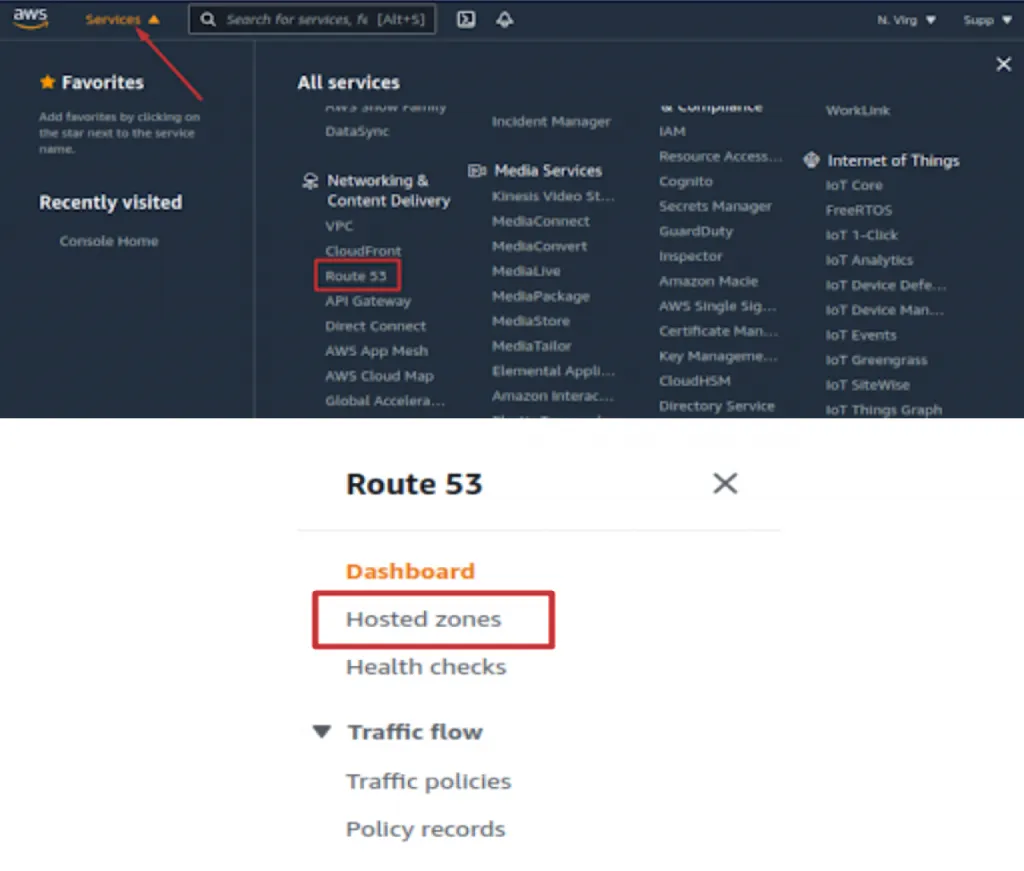
How to publish your DMARC Record on Amazon Web Services (AWS) in 4 easy steps
This guide will show you how to add DMARC record to your domain. Sign in to your AWS account. Navigate to ‘Services > Network & Content Delivery > Route 53’.
Setup article · 17 May 2022
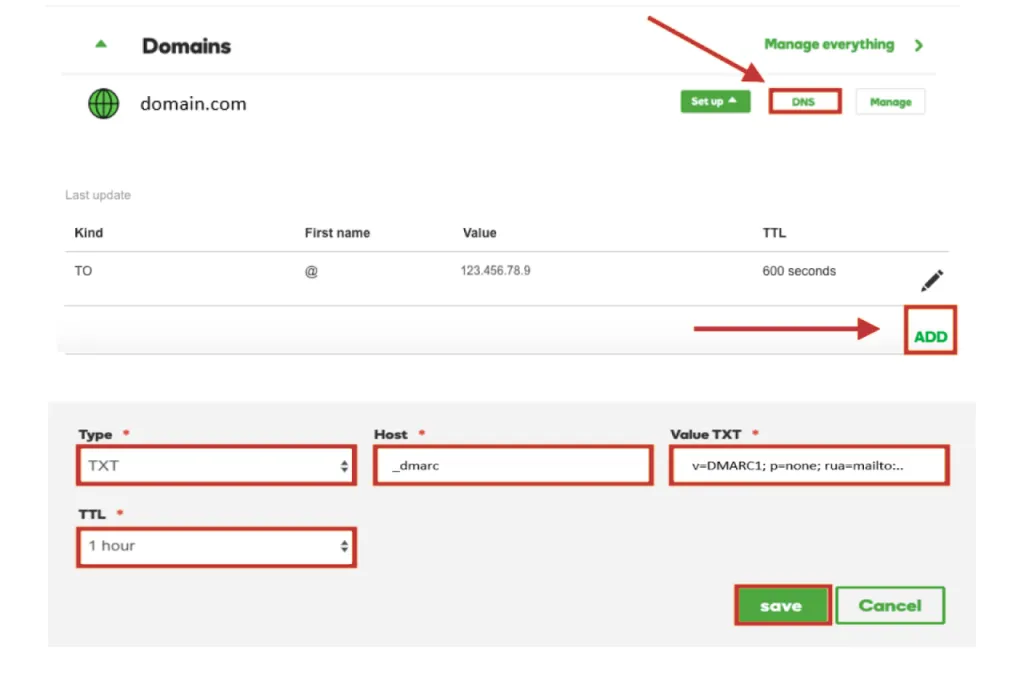
How to setup DMARC on Godaddy in 3 simple steps
Sign in to your GoDaddy account. Navigate to the ‘My Products’ tab and locate the domain you wish to add the DMARC record to. Click on the ‘DNS’ button next to it.
Setup article · 17 May 2022
How to Setup SPF for Zendesk?
Learn how to configure forwarding SPF records with CNAME and TXT records for a given email address in your custom domain.
Setup article · 17 May 2022
How to Setup SPF for Zoho Mail?
Log in to your DNS management console and choose the domain for which you want to add the new SPF record.
Setup article · 17 May 2022
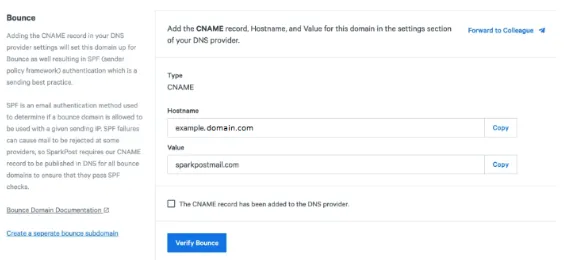
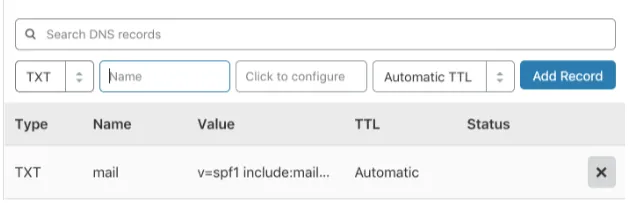
How to Setup SPF for Sparkpost?
The process of setting up the SPF Record, Sparkpost uses your domain in send form, enabling it to handle your bounces for you automatically.
Setup article · 17 May 2022
SPF Setup for Mailgun
To set up SPF on your Mailgun account, follow these steps :Login to your DNS console and go to Advanced DNS settings to add or modify an SPF record.
Setup article · 17 May 2022
How to Setup SPF for SMTP2GO?
To setup SPF on SMTP2GO, you have to follow three major steps : 1. Adding a new domain on SMTP2GO 2. Setting up a new DNS record
Setup article · 17 May 2022
How to Setup SPF for SendGrid?
Follow these simple steps to set up SPF on your SendGrid account :If you don’t have a published SPF record for your domain.
Setup article · 17 May 2022
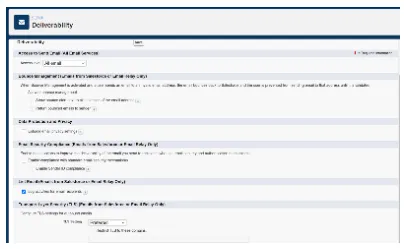
How to Setup SPF for Salesforce?
Before setting up SPF for Salesforce, you will need to ensure that Salesforce’s bounce management is disabled.
Setup article · 17 May 2022
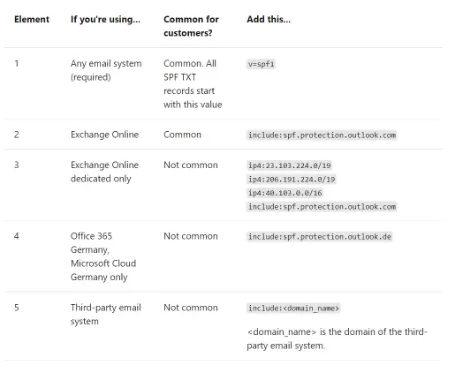
How to Setup SPF for office365?
Before you can use Office 365 to send emails on your behalf, a new SPF record is to be added by the user. To do so, follow the next few steps
Setup article · 17 May 2022
How to Setup SPF for Mimecast?
The setup process for Mimecast is fairly simple and similar to others. Follow the next few steps :
Setup article · 17 May 2022
How to Setup SPF for Mandrill?
Mandrill needs you to add your domain before you can set up SPF on Mandrill. Follow the next few steps to add your domain on Mandrill
Setup article · 17 May 2022
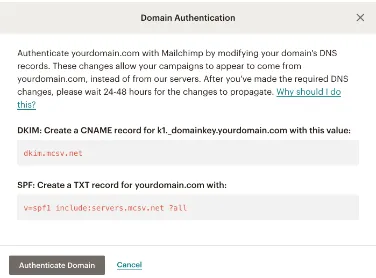
How to Setup SPF for Mailchimp?
Follow these simple steps to set up SPF on your Mailchimp account :Log in to your Mailchimp account and go to the Domains page.
Setup article · 17 May 2022
How to Setup SPF for Google Workspace/Gsuite?
Follow these steps to set up SPF on Google Workspace:Log in to your DNS management console and go to the ‘name server management’ page
Setup article · 17 May 2022
How to Setup SPF for Forcepoint-Websense?
SPF set up on Forcepoint requires you to follow the next steps exactly as mentioned :Login to your DNS management console and select My account.
Setup article · 17 May 2022
How to Setup SPF for Freshdesk?
Follow these simple steps to set up SPF on your Freshdesk account : Log in to your DNS management console and go to your Domain settings under DNS configuration settings.
Setup article · 17 May 2022
How to Setup SPF for Amazon SES?
Before we set up SPF for Amazon SES, there are two things that we must know.
Setup article · 17 May 2022
How to Setup SPF for Constant Contact?
You will either need to modify your existing SPF record or add a new one to set up SPF for Constant Contact.
Setup article · 17 May 2022
How to Set Up SPF for Yandex?
Set up SPF for Yandex Mail by adding the required TXT record to your domain's DNS and authorizing Yandex to send email on your behalf.
Setup article · 17 May 2022
How to Set Up SPF for Vuture?
To configure SPF for Vuture, follow these steps:Log in to your DNS management console. Go to DNS template.
Setup article · 17 May 2022
How to Set Up SPF for Shopify?
To configure SPF for Shopify, follow these steps:Log in to your DNS management console.Go to DNS template.
Setup article · 17 May 2022
How to Set Up SPF for Marketo?
The steps needed to set up SPF for Marketo are similar to others. Follow these steps to set up SPF:Log in to your DNS management console.
Setup article · 17 May 2022
How to Set Up SPF for Mailjet?
To set up SPF for Mailjet, follow these steps:Log in to your DNS management console.Go to DNS template. You will need to add or modify the SPF record as required
Setup article · 17 May 2022
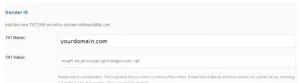
How to Set Up SPF for Mailigen?
Log in to your Mailigen account as an admin.Go to the Email Authentication section and enter the domain of your choice.
Setup article · 17 May 2022
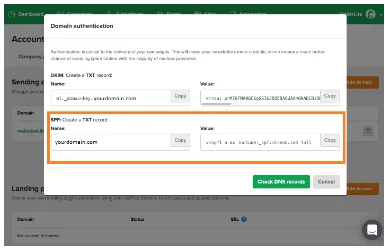
How to Set Up SPF for Mailerlite?
Follow these steps to set up SPF on Mailerlite:Log in to your Mailerlite account as an admin.
Setup article · 17 May 2022
How to Set Up SPF for Infusionsoft?
Configure SPF for Infusionsoft by updating your domain's DNS TXT record to authorize its email servers and support authenticated campaign delivery.
Setup article · 17 May 2022
How to Set Up SPF for FastMail?
To configure SPF for FastMail, follow these steps: 1. Log in to your DNS management console. 2. Go to DNS template.
Setup article · 17 May 2022
How to Enable SPF for Network Solutions (Netsol)?
You can add an SPF record for Network Solutions on your DNS console, or you can add an SPF record in Network Solutions itself.
Setup article · 17 May 2022
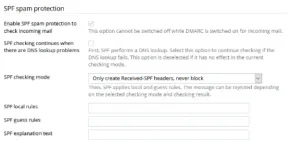
How to Enable SPF authentication on Plesk?
You can enable SPF for both outgoing and incoming emails on Plesk. To set up SPF for outgoing mails, follow these steps :
Setup article · 17 May 2022
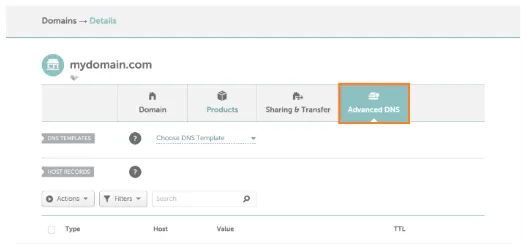
How to Add an SPF record in Namecheap?
To add a new SPF record to Namecheap, follow the steps as mentioned below: Generate an SPF record using any free generator online.
Setup article · 17 May 2022
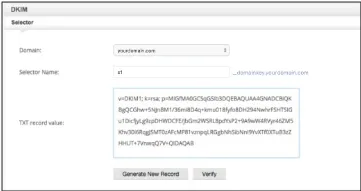
How to Setup DKIM for Zoho Mail?
Setting up DKIM on Zoho Mail involves three significant steps: 1. Creating a unique domain key on ZOHO mail
Setup article · 17 May 2022
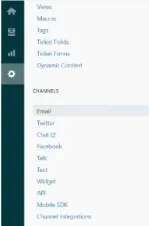
How to Setup DKIM for Zendesk?
This article will be a step-by-step process to setting up DKIM on your Zendesk account, making your emails more secure and spoof-free.
Setup article · 17 May 2022
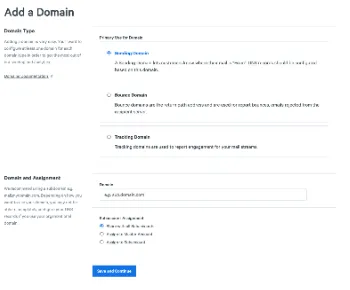
How to Set Up DKIM for Sparkpost?
To set up DKIM for Sparkpost, you need to ensure that you have added your sending domain beforehand. If you haven’t added your sending domain, follow the next few steps before setting up DKIM on Sparkpost.
Setup article · 17 May 2022
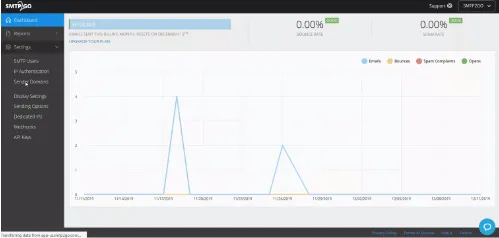
How to Set Up DKIM for SMTP2GO?
This article will help you set up your domain on SMTP2GO using a few simple steps. Setting Up a Sender Domain
Setup article · 17 May 2022
How to Setup DKIM for Salesforce?
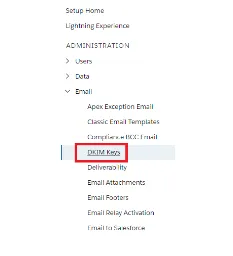
Creating a DKIM Key for Salesforce Navigate to the Setup menu and, in the ‘Quick Find’ box, type in ‘DKIM Keys’.
Setup article · 17 May 2022
How to Set Up DKIM for Network Solutions (Netsol)?
DomainKeys Identified Mail (DKIM) is an anti-tamper protocol that ensures your email remains secure in transit.
Setup article · 17 May 2022
How to Set Up DKIM for Mimecast?
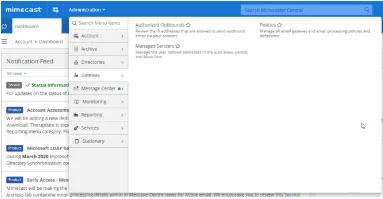
Before setting up DKIM for Mimecast, you will need to create an outbound definition and an outbound policy.
Setup article · 17 May 2022
How to set up DKIM for MailChimp?
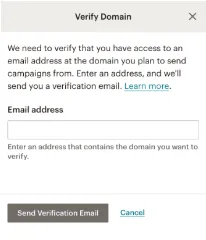
Before you can set up DKIM for Mailchimp, you’ll need to verify your domain on Mailchimp.
Setup article · 17 May 2022
How to Set Up DKIM for Mandrill?
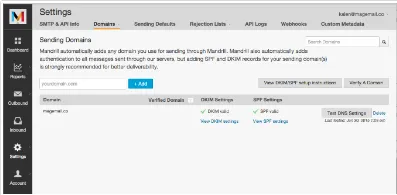
Steps to set up DKIM on Mandrill Before you can enable DKIM signatures on Mandrill, you will need to add your Domain Name to Mandrill.
Setup article · 17 May 2022
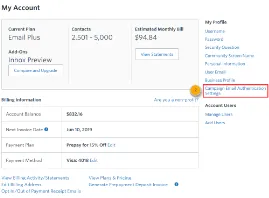
How to Set Up DKIM for Forcepoint-Websense?
Setting up DKIM for Forcepoint-Websense involves three significant steps: Creating a public DKIM key.
Setup article · 17 May 2022
How to Setup DKIM for Constant Contact?
Before you can create a DKIM key for Constant Contact, make sure your webmaster is intimated into the process.
Setup article · 17 May 2022
How to Set Up DKIM for Vuture?
Vuture support provides information on configuring SPF and DKIM only to their registered users. To set up DKIM for Vuture, contact their support team for the steps to do so.
Setup article · 17 May 2022
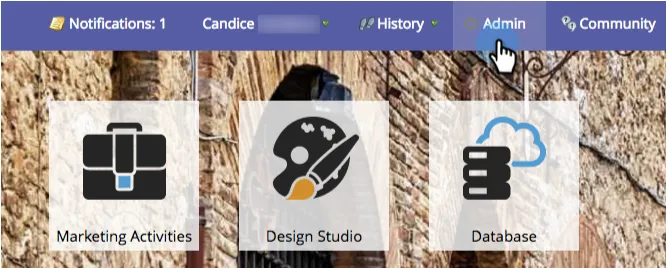
How to Set Up DKIM for Yandex?
If your DKIM is not configured automatically, use these simple steps to enable DKIM signing on Yandex
Setup article · 17 May 2022
How to Set Up DKIM for Marketo?
After you successfully set up DKIM for Marketo, it will automatically sign all outgoing mails with a shared Marketo signature.To set up DKIM for your domain, follow these steps.
Setup article · 17 May 2022
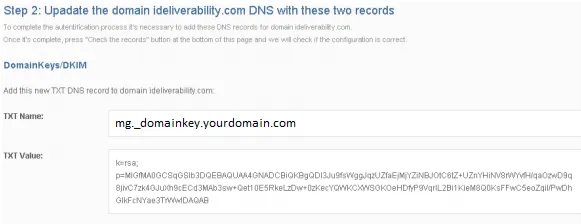
How to Set Up DKIM for Shopify?
Shopify requires you to add and verify your domain before you can set up DKIM on it.
Setup article · 17 May 2022
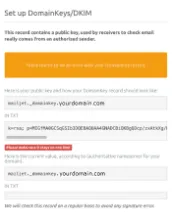
How to Set Up DKIM for Mailigen?
Setting up DKIM on Mailgen can be done using these simple steps:
Setup article · 17 May 2022
How to Set Up DKIM for Mailjet?
Follow these steps to set up DKIM on your Mailjet account : Log in to your Mailjet account as an administrator. Go to ‘Account’ > ‘Domain’.
Setup article · 17 May 2022
How to Set Up DKIM for Infusionsoft?
To simplify the DKIM setup, Keap creates the keys on your behalf. You, then, only need to create a CNAME record in your DNS.
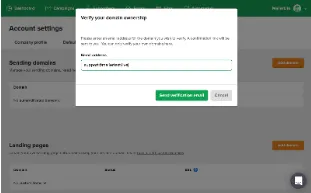
Setup article · 17 May 2022
How to Set Up DKIM for Mailerlite?
Before you can set up DKIM for Mailerlite, you need to verify your domain on Mailerlite. Follow these simple steps to do that:
Setup article · 17 May 2022
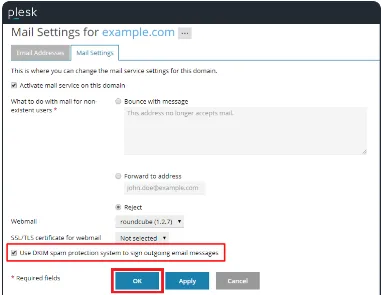
How to Enable DKIM Signing for a Domain on Plesk?
DKIM is enabled by default on all outgoing mails on Plesk. However, it is not automatically enabled on a custom domain.
Setup article · 17 May 2022
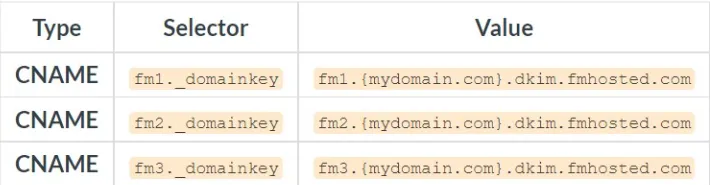
How to Set Up DKIM for FastMail?
Setting up DKIM on Fastmail is very simple and requires you to follow a few simple steps.
Setup article · 17 May 2022
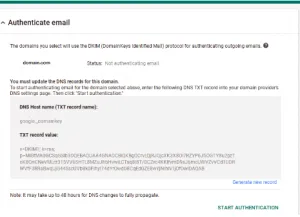
DKIM SETUP GUIDE FOR G Suite/Google Workspace
Sign in to your Google Admin Console.Navigate to ‘Apps > Google Workspace > Gmail’.Authenticate your email.
Setup article · 17 May 2022
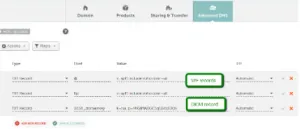
How to Add a DKIM Record in Namecheap?
The steps for setting up DKIM on Namecheap are more or less the same as other portals. Follow these simple steps to secure your emails with DKIM
Setup article · 17 May 2022
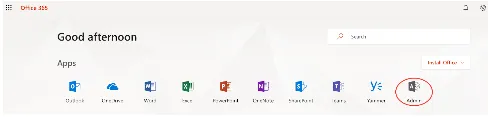
How to set up DKIM for Office365?
Steps to Set Up DKIM on Office365/Exchange Sign in to your admin account and select ‘Admin’ on the Office365 Admin window.
Setup article · 17 May 2022
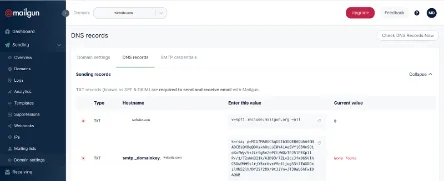
DKIM Set Up for Mailgun
Follow these steps to set up DKIM on your Mailgun account : Log in to your Mailgun account.
Setup article · 17 May 2022
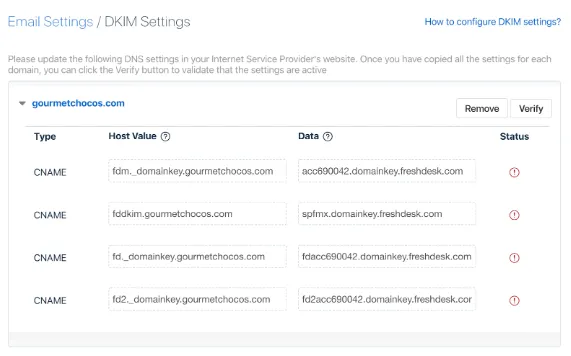
DKIM Setup for Freshdesk
You can easily set up DKIM on Freshdesk using the steps mentioned below: Log in to your Freshdesk account.

Setup article · 17 May 2022
How to Set Up DKIM in AMAZON SES?
Bear in mind that after setting up EASY DKIM, Amazon SES automatically adds 1024-bit key to every email you send.
Setup article · 16 May 2022
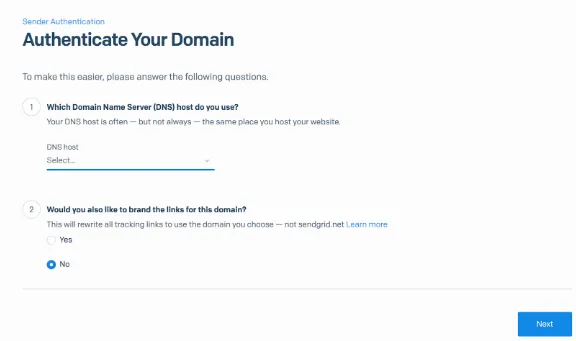
How to Set Up DKIM for SendGrid?
Follow the mentioned steps to setup DKIM on Sendgrid for your custom domain :
Setup article · 17 April 2022
How to publish your DMARC record on DirectAdmin in these simple steps
Publishing a DMARC record on DirectAdmin made easy with EmailAuth. you can follow these steps for your DirectAdmin DMARC setup.
Setup article · 17 April 2022
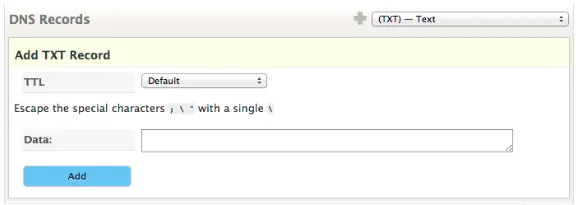
How to publish DMARC Record on DNS Made Easy in 3 easy steps
The first step to configuring DMARC for DNS Made Easy, is to create a TXT (text) record for the protocol. So create a DMARC TXT Record.
Setup article · 17 March 2022
How to publish a DMARC record on DYN in 3 simple steps
How to Enable DMARC on DYN. Step 1: Create your TXT record. The first thing that you are required to do is generate your DMARC record
Setup article · 17 February 2022
How to set up DMARC email authentication for Klaviyo in simple steps
How to Set Up DMARC Email Authentication for Klaviyo?. Klaviyo is a robust, all-in-one email marketing solution that helps you send emails.
Want to check your own domain? Try our free tools.